Founder & Lead Author at StartupSprints · Full-Stack Developer · Jaipur, India
I research and write about startup business models, AI frameworks, and emerging tech — backed by hands-on development experience with React, Node.js, and Python.
Claude Code: the moment AI coding assistants turned into real agents
Claude Code is not just "an AI that writes code." It is an agentic coding system that reads your codebase, makes coordinated edits across multiple files, runs commands and tests, and iterates until it can verify that the change works.
That distinction is why it exploded in attention. Developers do not just want better suggestions; they want automation that eliminates the loop between "understand the repo" and "ship the fix." Claude Code targets exactly the work developers keep postponing: fixing failing tests, resolving merge conflicts, updating dependencies safely, and writing release notes with the right context.
Anthropic built Claude Code to operate across the surfaces developers already use: terminal CLI, IDE extensions, desktop app, and even web sessions. The core value does not change across these interfaces; the harness stays the same. What changes is how you view the diff, approve actions, and follow the evidence trail while Claude Code acts.
If you want the practical context for why this matters right now, start with our related guide on top AI tools developers use in 2026, then come back for the deeper systems view in this article.
What Claude Code really is: an AI coding agent, not a chat assistant
Traditional chat assistants are optimized for language generation. They can be helpful, but they struggle when a task requires precise repo navigation, multiple file edits, and confidence checks.
Claude Code flips the model relationship: it wraps the model inside an agent harness. The harness provides tools (file operations, search, execution, git, and more) and context management (what gets loaded, when, and how it stays within limits). The model then "chooses" tool calls, reads the results, and continues.
Agentic coding vs. line completion
A coding assistant that only edits text is forced to guess. An agentic coding assistant can do what humans do: it can inspect evidence, run the same commands you would, and respond to real error outputs.
In practice, that means workflows like:
- "Fix the failing tests for the auth module" becomes: run the test suite, read stack traces, locate the relevant code paths, edit files, and re-run tests.
- "Refactor this endpoint and update call sites" becomes: read the routing and service layers, apply the refactor consistently, update types and documentation, and verify compilation.
- "Prepare a PR" becomes: create a branch, stage changes, generate a commit message, and open a pull request with a summary that matches what actually changed.
What Claude Code can access
The most important conceptual part is access: Claude Code can read your project directory, use your terminal, operate on your git state, and consume project-level instructions via a markdown file at the repo root (often referred to as CLAUDE.md). It can also rely on "memory" across turns, but the key reliability feature is that it can verify outcomes by running tools and tests.
Two additional details explain why Claude Code feels different from "just another assistant." First, it keeps reversible checkpoints for file edits, so failed experiments do not permanently destroy your working tree. Second, it applies permission modes that control when it must ask you before editing files or running commands. Those mechanisms turn an autonomous system into a controllable system.
If you are thinking about replication, treat CLAUDE.md, checkpoints, and permissions as part of the core product surface. Model quality alone will not make an agent safe; harness behavior does.
The leak: what we can say with confidence (and what we can’t)
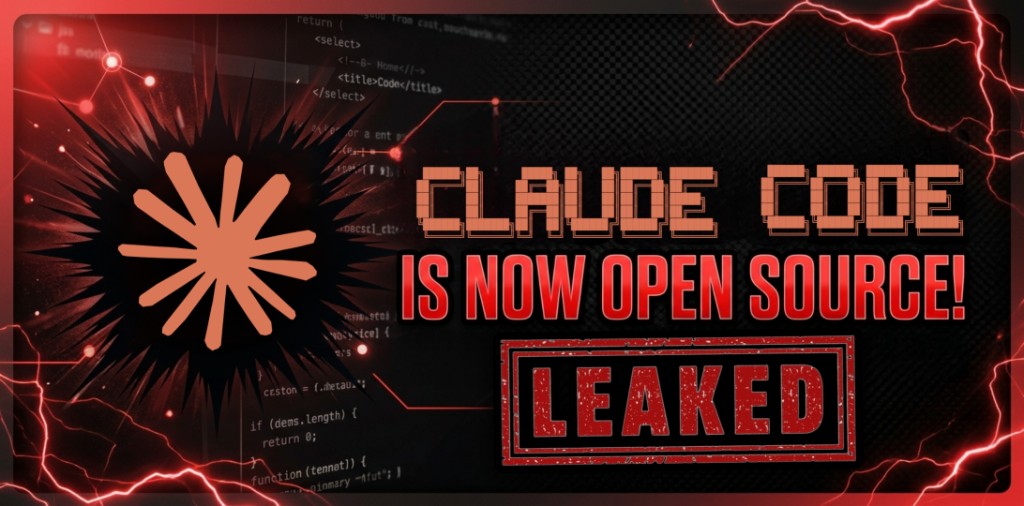
In the agent ecosystem, "leaks" are usually discussed in one of two ways: (1) accidental exposure of packaged code or configuration, or (2) community reverse engineering of publicly observable behavior. Claude Code became a flashpoint because reports claimed its source was briefly exposed through a packaging artifact.
Important ethical boundary: this article does not instruct you to obtain or use any leaked proprietary code. Instead, it uses the event as a systems lesson: when you build AI agents, you should expect that implementation details may be inspected publicly, so you must design the architecture, safety boundaries, and tooling governance with "worst-case transparency" in mind.
What was exposed (per public reports) was not a neat "feature list" for developers to copy. It was more likely the scaffolding: tool wiring, orchestration flows, context shaping, and guardrails. What was not exposed (and often cannot be proven from mirrors or partial archives) is which features were fully active in production, how safety systems were configured at the time, and which behaviors were experimental.
So the right takeaway is not "the leak proves X works." The right takeaway is that the agentic harness is usually where the engineering value sits: permissions, checkpoints, tool contracts, and verification loops.
Public discussions around the incident (based on reported estimates rather than confirmed internal timelines) described an accidental exposure of large bundled artifacts, followed by rapid removal from public registries. Mirrors then enabled researchers to extract architectural clues: tool wiring, orchestration flows, and system prompt structure patterns. Even if you never touch any leaked content, this event shows that the harness is the real surface area that developers should study.
From a builder perspective, the lesson is two-fold: (1) design your agent so that transparency does not become a single point of failure, and (2) make safety, permissions, and auditability modular so that you can swap model providers or update internals without changing your risk profile.

How to build your own Claude Code-style AI coding agent (the practical blueprint)
This section provides a practical, step-by-step implementation guide. The goal is not to copy proprietary code. The goal is to replicate the engineering patterns: tool contracts, agent loop, context engineering, permissions, verification, and provider swapping.
We will reference the open-source harness porting effort at github.com/instructkr/claw-code as a conceptual source of architecture patterns. Then we will implement the missing runtime glue using standard tooling patterns.
Step 1: Start with the harness blueprint (minimal but complete)
A practical "Claude Code-style" agent needs exactly these subsystems:
- Agent loop: send prompt + tool schemas, execute tool calls, repeat while tools are requested.
- Tool registry: implement read/search/edit/write commands and route results back.
- Context shaping: load project instructions, select relevant file snippets, compact history.
- Verification: run tests/lint/typecheck and treat failures as new evidence.
- Safety: permission gates and checkpoints to rollback edits.
Step 2: Clone the referenced base repository (for harness patterns)
Start by cloning the repository you referenced:
git clone https://github.com/instructkr/claw-code.git
cd claw-code
This project is best treated as a porting and harness-architecture reference, not as a drop-in Claude Code replacement. Its README describes a Python-first workspace for mirroring command/tool inventories and verifying parity.
Step 3: Understand the project structure
Based on the README, the key top-level structure looks like:
src/        # Python workspace for the rewrite and introspection
tests/      # Verification tests for the mirrored workspace
assets/omx/ # Workflow screenshots for OmX orchestration (context only)
README.md   # Porting summary and quickstart commands
Step 4: Install dependencies (and run the provided commands)
If the repository uses standard library only for the commands shown in its README, you may not need a complex dependency install. The safest approach is to create a fresh virtual environment and run the commands exactly as documented.
# Create a virtual env
python -m venv .venv

# Activate it (Windows PowerShell)
.\.venv\Scripts\Activate.ps1

# Run a workspace summary report (as per README)
python -m src.main summary

# Print the current workspace manifest
python -m src.main manifest

# Run verification tests
python -m unittest discover -s tests -v
Expected output: the summary prints a Markdown-style report (workspace manifest, command surface, tool surface, session id, and loop counters). The tests should complete without errors if the workspace parity is in a consistent state.
Common errors + fixes (during the harness setup)
- Module not found (ModuleNotFoundError): ensure you run commands from the repository root and that your virtual environment is activated.
- Python version mismatch: create a new virtual environment and confirm your interpreter matches the expected Python3 runtime (the README examples assume Python3).
- Unit tests fail: use the output to identify the parity mismatch, then re-run the manifest and tool inventory commands so you can compare what is mirrored vs. what is expected.
- Permission errors when running commands: avoid executing shell commands in directories with special permissions. Use a local folder you own and can write to.
Step 5: Add the API setup for an actual agent runtime
The missing piece in a "porting workspace" is the runtime glue that actually calls a model and executes tool calls. For that runtime, you will need an Anthropic API key and provider settings.
Create a .env file like this in your runtime app:
# .env
ANTHROPIC_API_KEY=your_key_here

# Pick a model explicitly so behavior stays stable
ANTHROPIC_MODEL=claude-sonnet-4-6

# Optional: tune budgets for production safety
MAX_TURNS=30
MAX_BUDGET_USD=0.50
Do not commit API keys. In production, load keys from your secret manager and keep them out of logs. Also decide early how you want tool approvals to work: you can require approval for edits and shell commands, or auto-approve edits in a trusted environment.
Add a project instruction file (often called CLAUDE.md) at the repo root. Here is a minimal example tailored for a coding agent:
# CLAUDE.md
## Coding standards
- Prefer small, reviewable diffs
- Add or update tests whenever you touch business logic
- Never run destructive shell commands without explicit confirmation

## Verification checklist
1. Run unit tests
2. Run lint/typecheck
3. Summarize what changed and why it fixes the issue
If your agent runtime supports it, you can also scope permissions with a settings file (often in a hidden configuration directory). Keep this file versioned only when it contains no secrets.
Step 6: Implement the Claude Code-like loop (tool calls + verification)
The core loop is usually a "while tool_use requested" construct:
- Send prompt + tool schemas to the model.
- When the model requests tools, execute them and return tool results.
- When no tool calls are requested, return the final answer.
Two details turn this into a production-grade loop. First, you need explicit limits: max turns for how many tool-use round trips the agent can do, and max budget to cap spend. Second, you need an observability strategy: persist tool inputs and outputs so that when the agent fails, you can reproduce and improve the harness.
In a UI-first design, streaming also matters. If you stream tool call intent and tool outputs into the interface, the agent feels like it is "working," not "thinking." That reduces user interruptions and makes debugging faster.
Finally, wire permissions into the loop. A robust pattern is to evaluate each tool call against allow/deny rules and, for edits, run checkpoint snapshots before touching files. Without that, your agent will occasionally corrupt the repo.
If you use the Claude Agent SDK, the pattern looks like this (TypeScript sketch):
import { query } from "@anthropic-ai/claude-agent-sdk";

let sessionId: string | undefined;

for await (const message of query({
  prompt: "Fix failing tests in auth module and commit the result",
  options: {
    allowedTools: ["Read", "Edit", "Bash", "Glob", "Grep"],
    settingSources: ["project"], // loads CLAUDE.md-style instructions
    maxTurns: Number(process.env.MAX_TURNS ?? 30),
    effort: "high"
  }
})) {
  if (message.type === "system" && message.subtype === "init") {
    sessionId = message.session_id;
  }

  if (message.type === "result") {
    if (message.subtype === "success") {
      console.log("Done:", message.result);
    } else {
      console.log("Stopped:", message.subtype);
    }
    console.log("Cost:", message.total_cost_usd);
  }
}
Step 7: Build your tool suite (and gate dangerous actions)
You should begin with read-only tools, then enable edit/write and finally shell execution with strict gates. A robust permission strategy usually includes:
- Auto-approve read tools (Read, Glob, Grep).
- Require explicit approval for edits and destructive commands.
- Use checkpoints to rollback edited files if verification fails.
When you verify, treat the failure output as first-class context. For example, a failed test produces a stack trace and assertion diff; a typecheck failure produces the file and line ranges involved. Your harness should parse those outputs into structured evidence so the next agent turn can target the right files quickly.
Once tests pass, stage changes and keep a clean audit trail. In git-native workflows, a useful pattern is: create a branch, apply edits, run verification, then only stage and commit if verification succeeded. This prevents "commit storms" and makes it easy to roll back in one git operation.
If you want an immediate "it works like Claude Code" developer experience, add a "plan mode" that produces a structured change plan and a diff before execution.
Optional advanced: swap Anthropic with local models (Ollama)
Provider swapping is easier when you treat the model call as a pluggable component and keep the harness constant. In a Claude Code-like system, your harness defines:
- tool schemas and tool_result formatting
- agent loop logic
- context shaping and verification
- permissions and checkpoint semantics
The provider then only needs to support whatever tool/function calling interface your agent loop expects. With Ollama, you typically run a local server and point your agent runtime at an OpenAI-compatible endpoint (or an equivalent adapter).
What changes when you use Ollama?
- Your model id changes (local model name instead of Anthropic model id).
- Your authentication changes (local server token or no auth).
- Some tool calling behavior can vary by model, so test tool-use reliability early.
Example local workflow:
# Install Ollama (one-time)
curl -fsSL https://ollama.com/install.sh | sh

# Pull a tool-capable model (choose one that supports function/tool calling)
ollama pull llama3.1

# Run the local server and point your agent runtime to it
# (exact configuration depends on your SDK adapter)
In practice, test with small tool calls first (read/search), then verify edit loops with a tiny repo, and only then enable bash/test execution. The harness is constant; your reliability depends on whether your chosen model reliably emits valid tool-call structures.
The real takeaways: how to build an agent people actually trust
The "Claude Code moment" is not just about one tool. It is a signal that software engineering is turning into automation systems: tool contracts, verification pipelines, and interactive diffs.
Pro Tips: make your agent feel trustworthy
If your agent cannot explain and verify, it will not earn engineering trust. These are the design choices that consistently improve developer experience:
- Always show which tools ran and what evidence they returned (command output, file paths, test failures).
- Prefer diff-first edits. Even in a terminal workflow, make changes reviewable and reversible.
- Use small budgets (max turns, max cost) in production to prevent runaway sessions.
- Store persistent project conventions in CLAUDE.md-like instructions so the agent stays aligned.
- When tools are denied, treat denial as an input to the reasoning loop, not as a crash.
Common Mistakes: why Claude Code replicas fail
Most "Claude Code clones" fail for boring engineering reasons. Here are the failure modes to avoid:
- Only implementing the model call: if you skip tool execution and verification, the agent becomes a chatty patch generator.
- Overloading the context window: dumping entire files and logs into every request makes the agent unstable and expensive.
- No rollback strategy: without checkpoints, failed edits can destroy the working tree and break trust.
- Unsafe command execution: without permission gates, a wrong tool call can run destructive operations.
- No verification loop: if you never run tests/lint/typecheck, the agent cannot learn from failure.
Why UI/UX matters more than the model choice
Two agents can use the same LLM. One will feel like a junior engineer; the other will feel like a roulette wheel. The difference is in tooling visibility, diffs, approvals, and recovery flows. This is why agentic systems are as much about interface engineering as they are about machine intelligence.
If you want a deep dive on lightweight architectures and practical tool orchestration, our related posts on PicoClaw install and agent architecture show how harness design can shift where computation happens (local orchestration with cloud reasoning).
For product-minded readers: if you are building an agent-based startup, your competitive advantage is usually the harness, the tooling ecosystem, and the safety/verification loop, not just "the model you picked."
If you want a business framing, map the tool loop in this article to the operations you plan to automate for small teams or SMB workflows.
Conclusion: the future is agentic (and the harness is the product)
Claude Code is a milestone because it crystallized a pattern: successful AI developer tools are systems, not just prompts. They combine an agent loop, a tool contract, context engineering, and verification into a single controllable workflow.
The leak discussion, regardless of what you believe about any specific detail, reinforces the engineering principle: build agents with transparency in mind. Treat tool execution and safety boundaries as product features.
If you replicate these patterns in your own tooling, you will end up with something more durable than any single vendor interface: a harness you can test, secure, and iterate.

FAQ: Claude Code, AI coding agents, and building your own
What is Claude Code?+
Claude Code is Anthropic’s agentic coding tool that can read your codebase, edit files, run commands/tests, and iterate until it can verify results. It’s an agent harness around Claude models, not just a chat assistant.
How is an AI coding agent different from a normal AI coding assistant?+
A coding agent takes actions through tools (read/search/edit files, run tests, use git) and verifies outcomes. A traditional assistant mostly generates text or suggestions without executing and validating changes.
What makes Claude Code-style tools reliable?+
The harness: tool contracts, permission gating, reversible checkpoints, context shaping/compaction, and verification loops that turn failures into evidence for the next step.
Can I build a Claude Code-like agent without copying any proprietary code?+
Yes. Replicate the architecture patterns using public SDKs and your own tool implementations. The durable value is harness design, not leaked source code.
What tools should I implement first?+
Start with read-only tools (Glob/Grep/Read). Then add Edit/Write with checkpoints. Finally add Bash/git behind strict allowlists and approvals. Verify continuously with tests/lint/typecheck.
Can I use local models (Ollama) instead of the Anthropic Claude API?+
Yes—if your harness treats the provider as pluggable and your model reliably supports tool/function calling. Validate tool-call reliability early before enabling edits and shell execution.
What is CLAUDE.md and why does it matter?+
It’s a repo-root instruction file that encodes coding standards and a verification checklist. It keeps the agent aligned and reduces drift when older context is compacted.